Fix a MIDI octave error: a one-note correction example
This correction exercise has a known answer. Write a short reference melody, then deliberately move one note up an octave while keeping its timing unchanged. Keep the correct MIDI and a synthesized reference for comparison. The author introduces the error for teaching; Astrune did not produce it through transcription. The example therefore cannot measure transcription accuracy on real songs.
Inspect the actual output
| Check | Before | After |
|---|---|---|
| Third-note MIDI pitch | 76 | 64 |
| Total notes | 8 | 8 |
| Start / duration (seconds) | 1.60 / 0.70 | 1.60 / 0.70 |
These are downloaded results from the current browser workflow using authored MIDI. They are not real-song transcription accuracy scores or in-game performance validation.
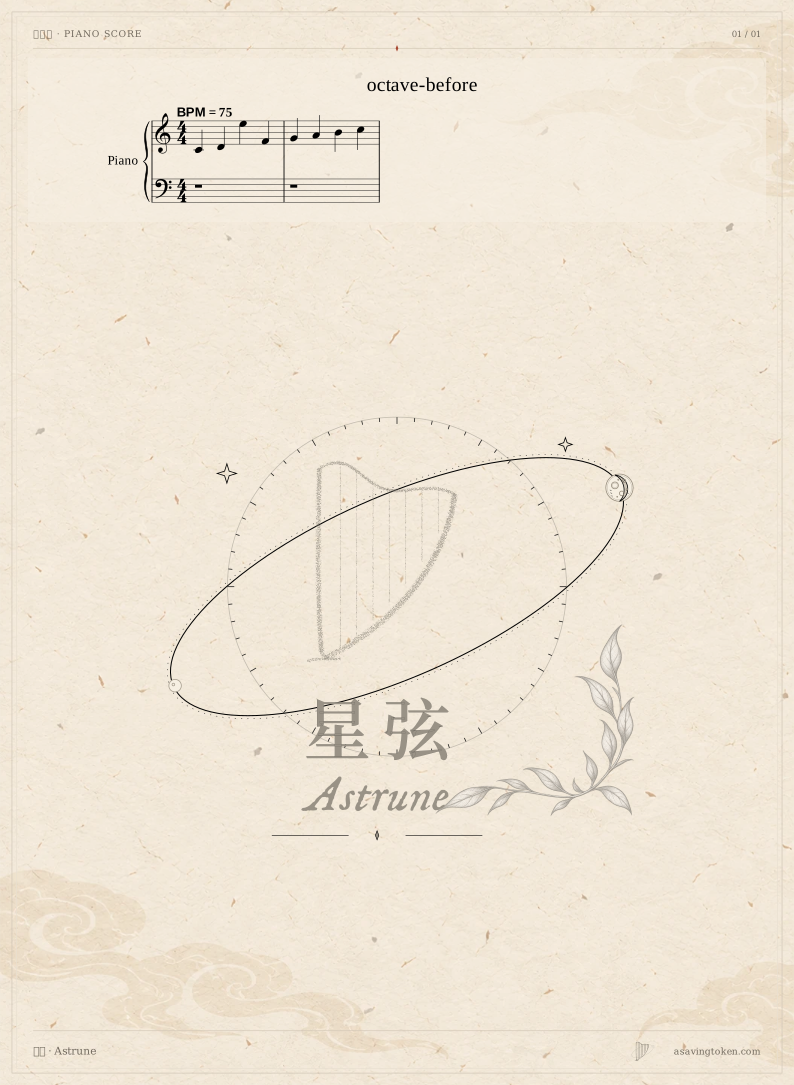
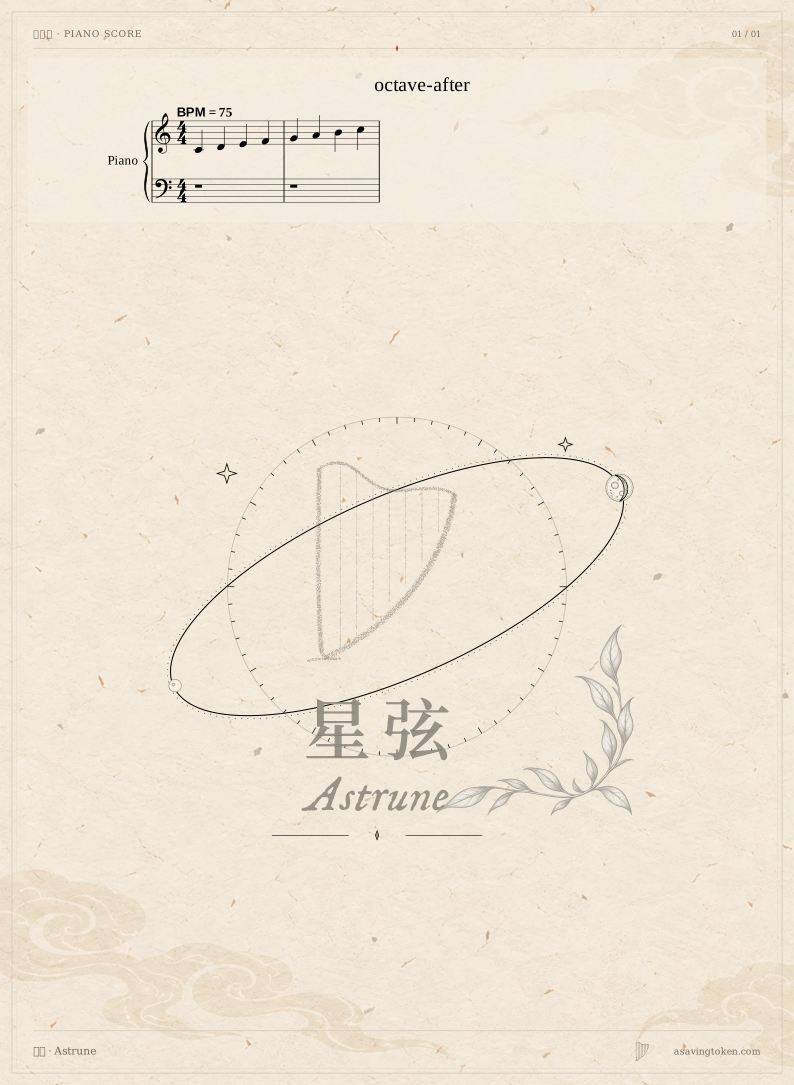
Download the input and results
- octave-input.mid 0.1 KiB
- octave-reference.mid 0.1 KiB
- octave-reference.wav 275.7 KiB
- octave-before.mid 0.1 KiB
- octave-after.mid 0.1 KiB
- readback.json 1.7 KiB
Try the same workflow
Select English in the workspace language menu to match the button names below.
Separate the reference from the file to correct
Keep the correct MIDI and save a separate copy containing the octave error. Import the altered copy, open Audio and notes and choose Convert to MIDI. This reads existing notes rather than recognizing a recording. Listen to the same phrase and locate the point that differs from the known reference.
Select only the note that needs changing
Choose Edit notes and select the target in the note area. Check its pitch, start, end and voice. Set its pitch to the MIDI value specified by the reference melody, leaving timing and velocity unchanged for this exercise. Changing one factor makes it easier to attribute the difference to the octave correction.
Submit and listen to the current notes
Choose Submit note changes, wait for the project to read back the change, and inspect the selected note again. Listen with Reference tone · follows note edits and compare the phrase with the correct reference. Typing a value into the field is not the same as submitting it. The imported MIDI itself contains no original audio recording.
Generate again and check the exported version
Return to Audio and notes and generate again. In Download and save, choose Download MIDI. Give the corrected file its own name and open it to check the target note and the surrounding notes. This avoids confusing an earlier download with the updated result. Back up the project if you want to continue editing later.
What still needs review
This example demonstrates one correction against a known answer. Wrong pitches, missing notes, chords and timing in real recordings need separate review. Completing the exercise establishes no level of song-transcription accuracy.
Editing changes the editable copy, not the read-only original snapshot or a separately saved reference audio file. A previous category result must be regenerated. Files already downloaded do not update when the project changes.
Questions
Why not transpose the whole phrase?
Only one note was deliberately changed. Transposing the phrase would also move notes that already match the reference.
Is smoother playback enough to call it corrected?
Compare the submitted pitch with the known reference and inspect the downloaded file too. The reference melody, not smoothness alone, provides the answer in this exercise.