MIDI to Genshin and Sky sheet music: a key-mapping example
This example starts with a MIDI exercise written for the demonstration. Its melody includes accidentals and notes below the Sky preset range. That makes it useful for inspecting key mapping without involving audio transcription. The aim is to use the same source with three presets, keep each set of settings and outputs, and identify which notes have playable keys and which need attention.
Inspect the actual output
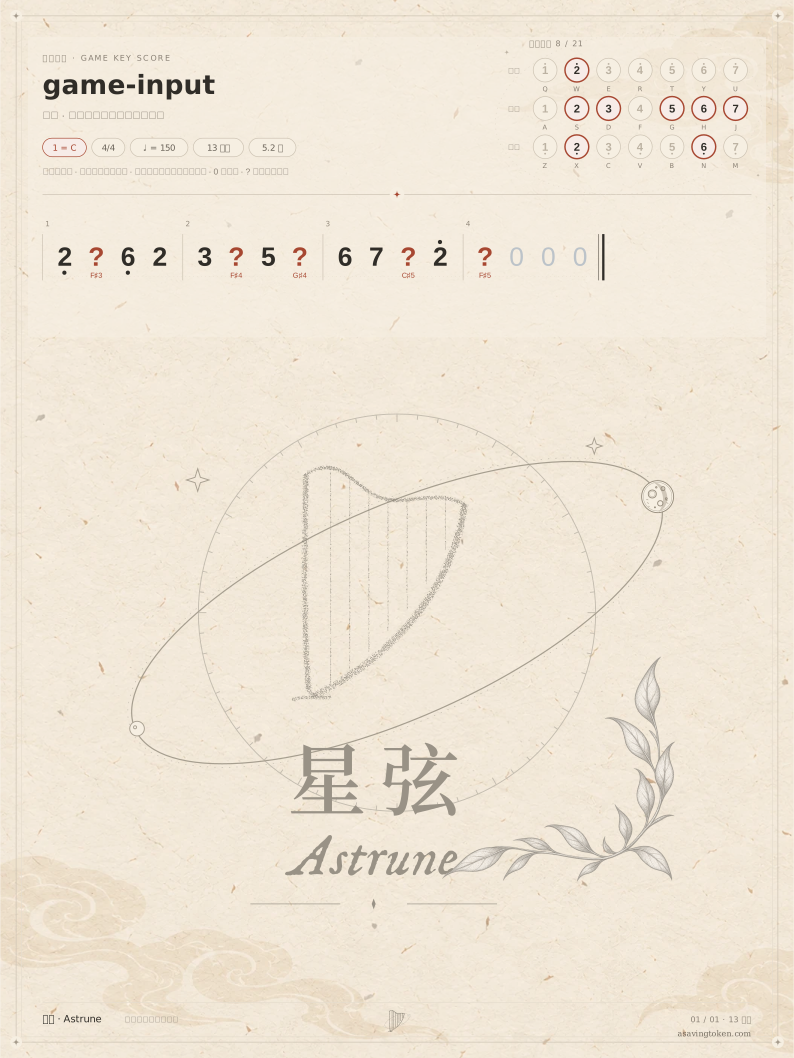
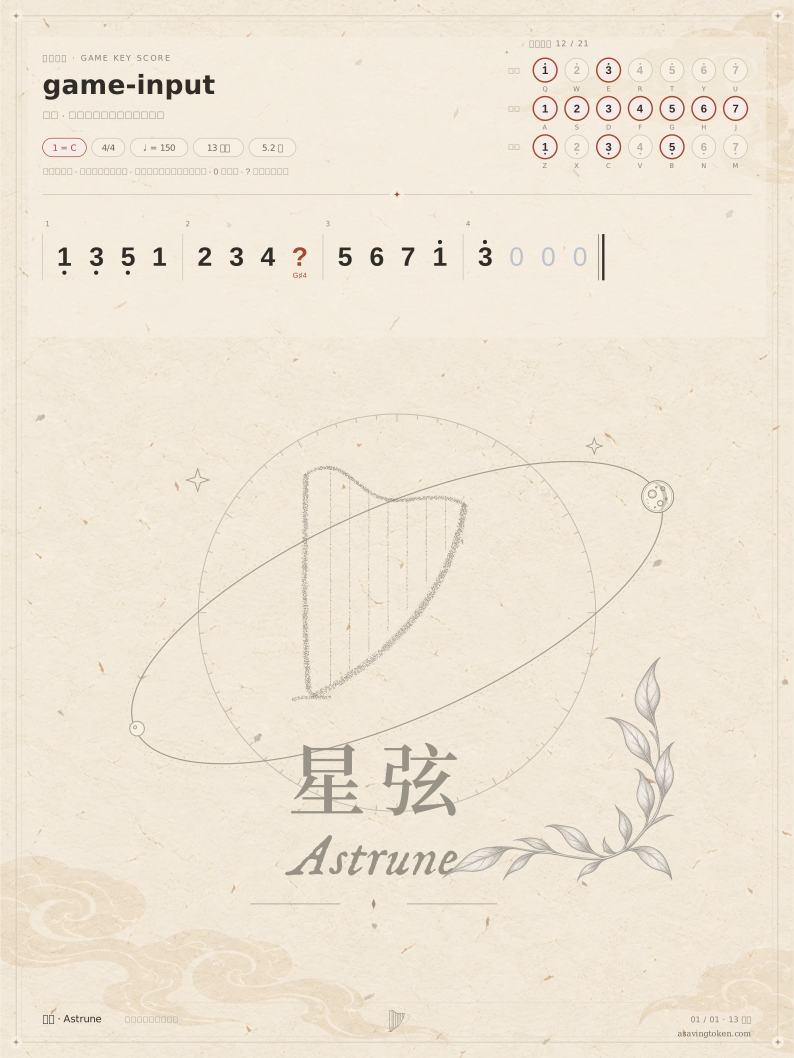
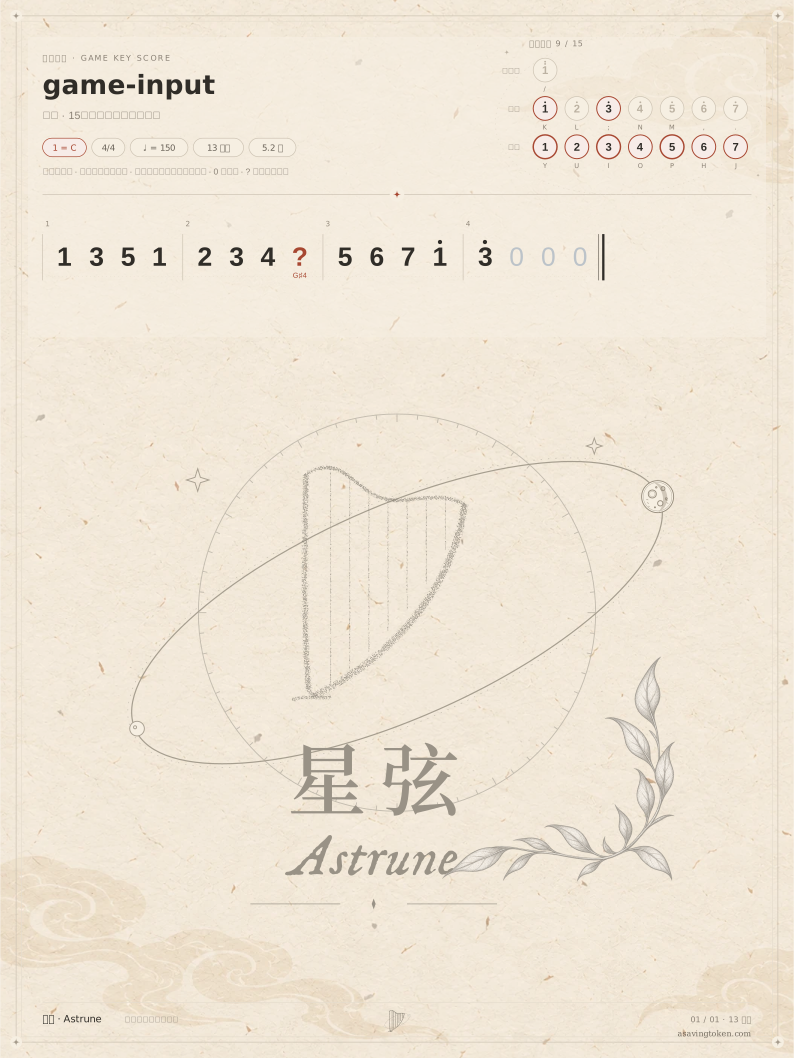
| Preset / setting | Shift (semitones) | Input → output | Unmatched |
|---|---|---|---|
| Windsong Lyre: no transposition or octave fitting | 0 | 13 → 8 | 5 |
| Windsong Lyre: transposition only | -2 | 13 → 12 | 1 |
| Windsong Lyre: transposition and octave fitting | -2 | 13 → 12 | 1 |
| Floral Zither: the same fitting settings | -2 | 13 → 12 | 1 |
| Sky 15 keys: transposition and octave fitting | -2 | 13 → 12 | 1 |
These are downloaded results from the current browser workflow using authored MIDI. They are not real-song transcription accuracy scores or in-game performance validation.
Download the input and results
- game-input.mid 0.2 KiB
- genshin-unshifted.zip 999.1 KiB
- genshin-transposed.zip 1000.7 KiB
- genshin-fitted.zip 1000.7 KiB
- zither-fitted.zip 1000.7 KiB
- sky-fitted.zip 998.5 KiB
- genshin-fitted-note-mapping.tsv 1.0 KiB
- sky-fitted-note-mapping.tsv 1.0 KiB
Try the same workflow
Select English in the workspace language menu to match the button names below.
Keep the input fixed and start without fitting
Import the MIDI, open Game score and select Genshin · Windsong Lyre. In Score settings, turn off both whole-piece transposition and octave fitting, then choose Generate game score. Note the positions marked with a question mark and save this version as the baseline for comparison.
Inspect transposition and octave fitting separately
Enable Transpose the whole piece onto the keys and generate again. Read the reported direction of the shift and check whether the question marks change. Then enable Fit notes to the nearest octave and inspect where the out-of-range notes go. Change one setting at a time so each difference has an identifiable cause.
Compare presets using the same source
Select Genshin · Floral Zither and then Sky · 15 keys, regenerating each with the same source and corresponding settings. The two Genshin presets use the same pitch layout. Sky has a different range and key layout. Compare the actual mappings, rather than relying on the score title.
Listen and keep a practice version
Use Hear simulated performance to compare the same phrase. Open Download and save and choose Download score package. Inspect the SVG pages and per-note key mapping, then download MIDI or print if needed. Include the preset and settings in your filenames so you can identify each version later.
What still needs review
A question mark means there is no matching key. That note is omitted from playback and MIDI, so smooth playback does not prove the melody is complete. Whole-piece transposition cannot guarantee a key for every accidental.
The derivative can transpose pitches, fold octaves and use short trigger durations while keeping the source notes intact. Presets have not been checked key by key inside the games. Try them yourself; synthesized playback neither reproduces the game instruments nor sends keys to a game.
Questions
Why can the two Genshin scores look the same?
They currently share a pitch and key layout. Check the selected preset and generation details before deciding whether anything went wrong.
Can the game-score MIDI replace the input?
No. It contains the mapped output notes. Keep the input MIDI and use Back up project to retain the project for further corrections.